
Issuing a JoFotara credit note for clinics in Jordan is a necessary procedure for processing returns, cancellations, and correcting errors in electronic invoices. With the implementation of the national e-invoicing system, deleting an approved invoice is no longer a valid option, requiring clinics to follow a precise workflow to ensure tax and accounting compliance.
The process might seem complex at first, especially when you need to link the credit note to the original invoice and process a patient refund. This practical guide explains the correct steps for issuing a JoFotara-compliant credit note and how a clinic management system can simplify this task.
Key Takeaways
- Do Not Delete Approved Invoices: To correct or cancel an electronic invoice issued through JoFotara, you must issue a credit note, not delete the original.
- Linking to the Original Invoice is Mandatory: The credit note must include the original invoice's reference number or Unique Universal Identifier (UUID) to ensure proper documentation.
- A Credit Note Is Not Proof of Refund: It is an accounting and tax document that reverses the value. The refund process is a separate financial transaction that must also be documented.
- Full Documentation is Essential: Maintain a complete record of the process, including the original invoice, the JoFotara-approved credit note, and proof of the refund issued to the patient.
What is a JoFotara Credit Note and Why Do Clinics Need It?
A credit note is an official document used to reverse or adjust the value of a previously issued sales invoice. In the context of Jordan's National E-Invoicing System (JoFotara), a credit note is the legally correct way to record a service cancellation or correct an error on an electronically approved invoice. Clinics need it to ensure their financial records align with the requirements of the Income and Sales Tax Department (ISTD).
When Should a Clinic Issue a Credit Note?
A clinic should issue a credit note in several common scenarios to ensure its accounts are accurate and compliant with the tax system. Issuing this document is essential to document any change affecting the value of an issued and approved invoice. The main cases include:
- Patient cancels a paid service: If a patient pays for a consultation or procedure and then cancels it before receiving it.
- Correcting a billing error: When an error is discovered on the original invoice, such as a wrong service or an incorrect price.
- Refunding a down payment: If a patient makes an advance payment to book a series of sessions and then decides not to complete them.
- Partial cancellation of services: If the invoice includes multiple services and the patient decides to cancel only some of them.
- Applying a post-invoice discount: In exceptional cases where a discount needs to be applied after the original invoice has been issued.
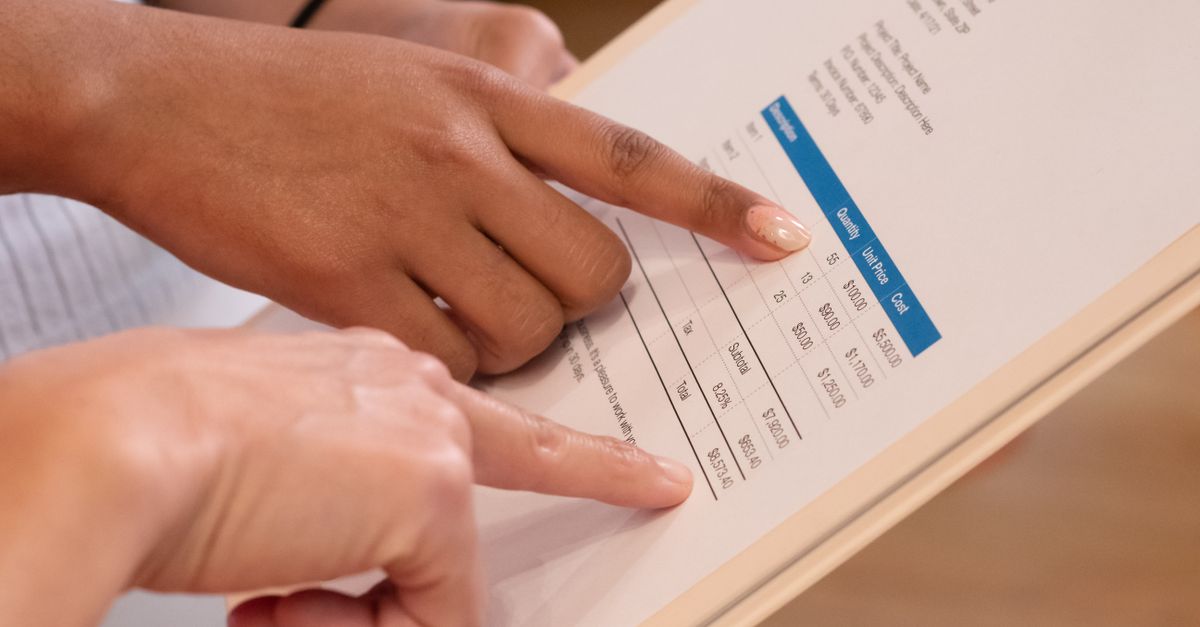
Steps to Correctly Issue a JoFotara Credit Note for Clinics
To ensure full compliance, you must follow an organized process when issuing a credit note linked to the JoFotara system. This process goes beyond simply creating a document; it includes correct electronic submission and financial refunding. Here are the practical steps in detail:
- Identify the Reason and Original Invoice: Before taking any action, determine the reason for the credit note (cancellation, correction, etc.) and retrieve the Unique Universal Identifier (UUID) of the original invoice to be reversed.
- Determine the Exact Cancellation Value: Calculate the amount to be reversed, whether it's the full invoice value or a partial amount. The value must be precise and match the cancelled service.
- Create the Credit Note in Your Billing System: Use your clinic management system to create a new credit note. Most JoFotara-compliant systems allow you to create it directly from the original invoice to ensure linkage.
- Fill in the Credit Note Details: Ensure the note contains all required information: its own sequential number, issue date, clinic details, patient data (if applicable), and a clear reason for issuance.
- Link the Credit Note to the Original Invoice: This is the most critical part. You must enter the original invoice's UUID into the designated field within the credit note data.
- Submit the Credit Note to the JoFotara Platform: Once the data is complete, submit the credit note electronically through your system connected to the JoFotara platform.
- Save Proof of Approval: After the system accepts the credit note, you will receive a new reference number or UUID for the credit note itself. Keep this proof with your records.
- Execute the Refund Transaction: Begin the process of returning the funds to the patient through the same payment channel they used (credit card, online payment, cash). This is a separate step from issuing the note.
- Document the Refund: Keep proof of the refund (bank receipt, payment gateway screenshot) and link it to the credit note in your records.
- Review and Update Accounting Records: Ensure your clinic's accounting department has updated the books to reflect both the credit note and the refund transaction.
Credit Note vs. Debit Note vs. Invoice Cancellation
It's important for your clinic's team to differentiate between various terms to avoid accounting and tax errors. The following table clarifies the main differences:
| Term | Description | When to Use in a Clinic? |
|---|---|---|
| Credit Note | A document that reduces the amount owed by the customer (patient). Issued by the clinic. | When cancelling a service, refunding a payment, or correcting an overcharge on an invoice. |
| Debit Note | A document that increases the amount owed by the customer. Issued by the clinic. | When adding an un-invoiced service or correcting an undercharge. (Less common in clinics). |
| Invoice Deletion/Cancellation | Completely removing the invoice from the records. | Not permitted in the JoFotara system after an invoice has been electronically approved. A credit note must be used instead. |
How Tadawi Simplifies Credit Note and Refund Management
Managing the cancellation and refund cycle requires a precise system to avoid errors and ensure compliance. Tadawi is a cloud clinic management system for clinics in Jordan and Iraq that brings appointments, patient records, prescriptions, billing, insurance and WhatsApp messaging into one screen. In Jordan, Tadawi simplifies this process through its direct integration with the JoFotara national e-invoicing system.
When your clinic needs to issue a credit note, you can create it directly from the original invoice within the Tadawi system. The system automatically populates the required data, links the note to the original invoice's ID, and submits it to JoFotara for approval. This minimizes manual errors and ensures all your documents are compliant. Additionally, Tadawi's financial reports help you track invoices, credit notes, and refunds in one place, providing a clear overview of your clinic's financial status. You can find more information in our other articles on clinic management.

Frequently Asked Questions
Can an invoice be deleted after being issued on JoFotara?
No, according to the guidelines for the JoFotara system, an electronic invoice cannot be deleted or modified after it has been approved. The correct way to fix an error or record a cancellation is by issuing a credit note linked to the original invoice.
Does a credit note automatically refund the customer?
No, a credit note is an accounting and tax document that records the reversal of a transaction in your books. The process of returning money to the patient is a separate financial transaction that must be completed through the original payment channel (card, bank transfer, cash) and documented independently.
How do I link a credit note to the original invoice?
The link is made by including the original invoice's Unique Universal Identifier (UUID) in the credit note's data. Most clinic management systems that are compliant with JoFotara, such as Tadawi, do this automatically when you create the credit note from the original invoice.
How are refunds processed through Tadawi?
The Tadawi system facilitates the documentation of the refund process and links it to the credit note. However, the refund itself is executed through the electronic payment gateway your clinic uses. Tadawi helps you manage the financial record of the entire transaction in one place.
What is the legal deadline for issuing a credit note?
According to information available as of 2026, official regulations have not specified a uniform deadline for clinics to issue a credit note. However, it is best practice to issue it as soon as possible after the cancellation occurs or the error is discovered to ensure accurate accounting records.
Important Terms
- Credit Note
- An official document issued by a seller (the clinic) to a buyer (the patient) to reduce the value of a previously issued invoice.
- JoFotara
- The common name for the national electronic invoicing system in Jordan, supervised by the Income and Sales Tax Department (ISTD).
- UUID (Unique Universal Identifier)
- A unique 32-character alphanumeric code assigned to each approved invoice and note in the JoFotara system, used to link documents together.
In conclusion, understanding the mechanism of a JoFotara credit note for clinics is a fundamental part of sound financial management and tax compliance in Jordan. By following the correct steps and using an integrated clinic management system, your clinic can transform this administrative challenge into a routine, organized procedure.
Want to put this into practice at your clinic? Try the Tadawi clinic management system and request a free demo for your specialty.